


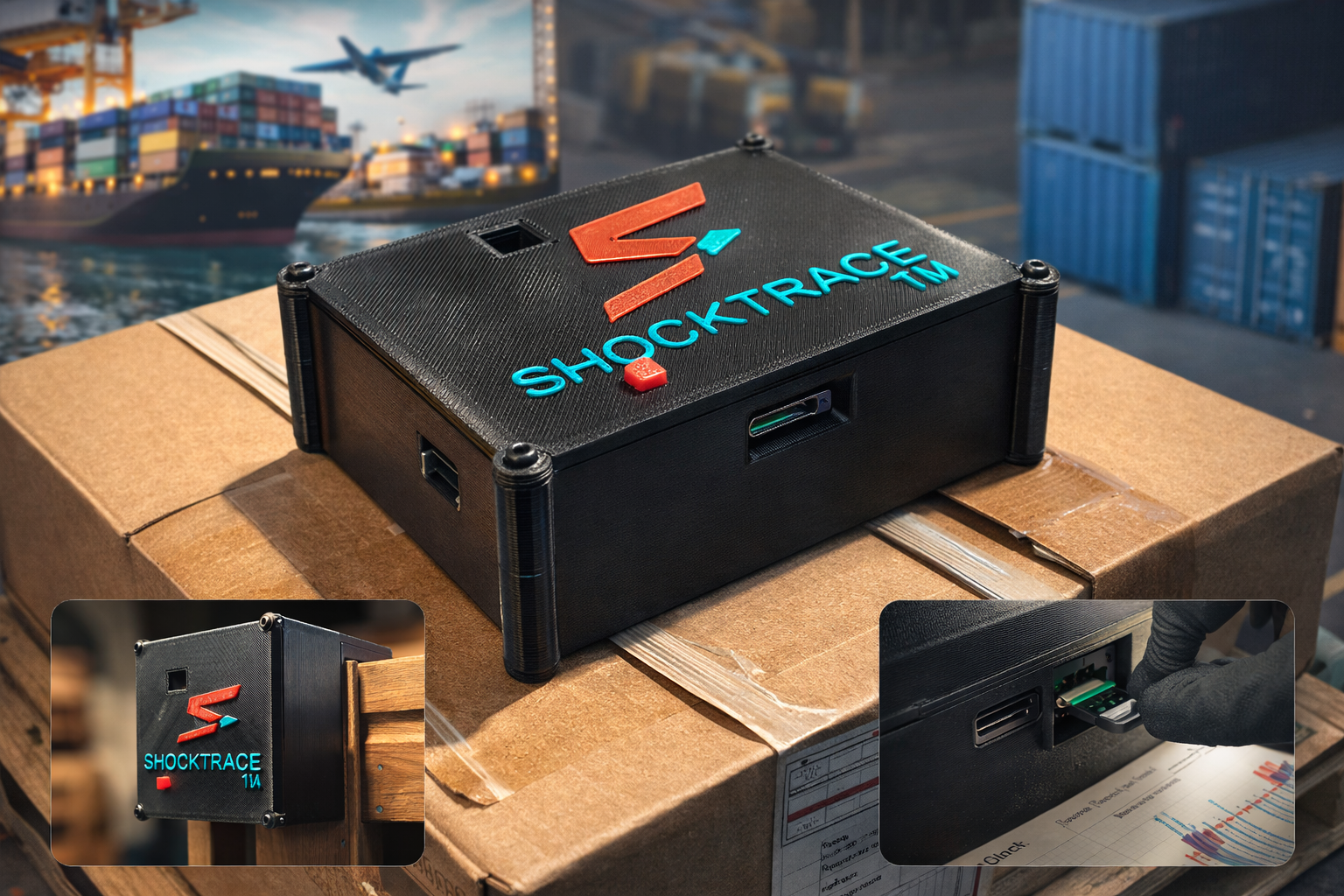
ShockTrace — Verified shipment evidence.
An offline impact logger that records shock, tilt, and temperature, then generates a clear HTML report plus CSV backups for claims and operations. Built for high-risk lanes where connectivity can’t be trusted.
- Offline event logging: shock / tilt / temperature
- Instant HTML report + CSV backups
- Simple install + retrieval workflow
- Bilingual UX (EN/ES) for teams
- Lane-specific thresholds by product category
- Industry templates for claims / ops handoffs
- Partner feedback loop on UX + report clarity
- Packaging and onboarding checklist refinement
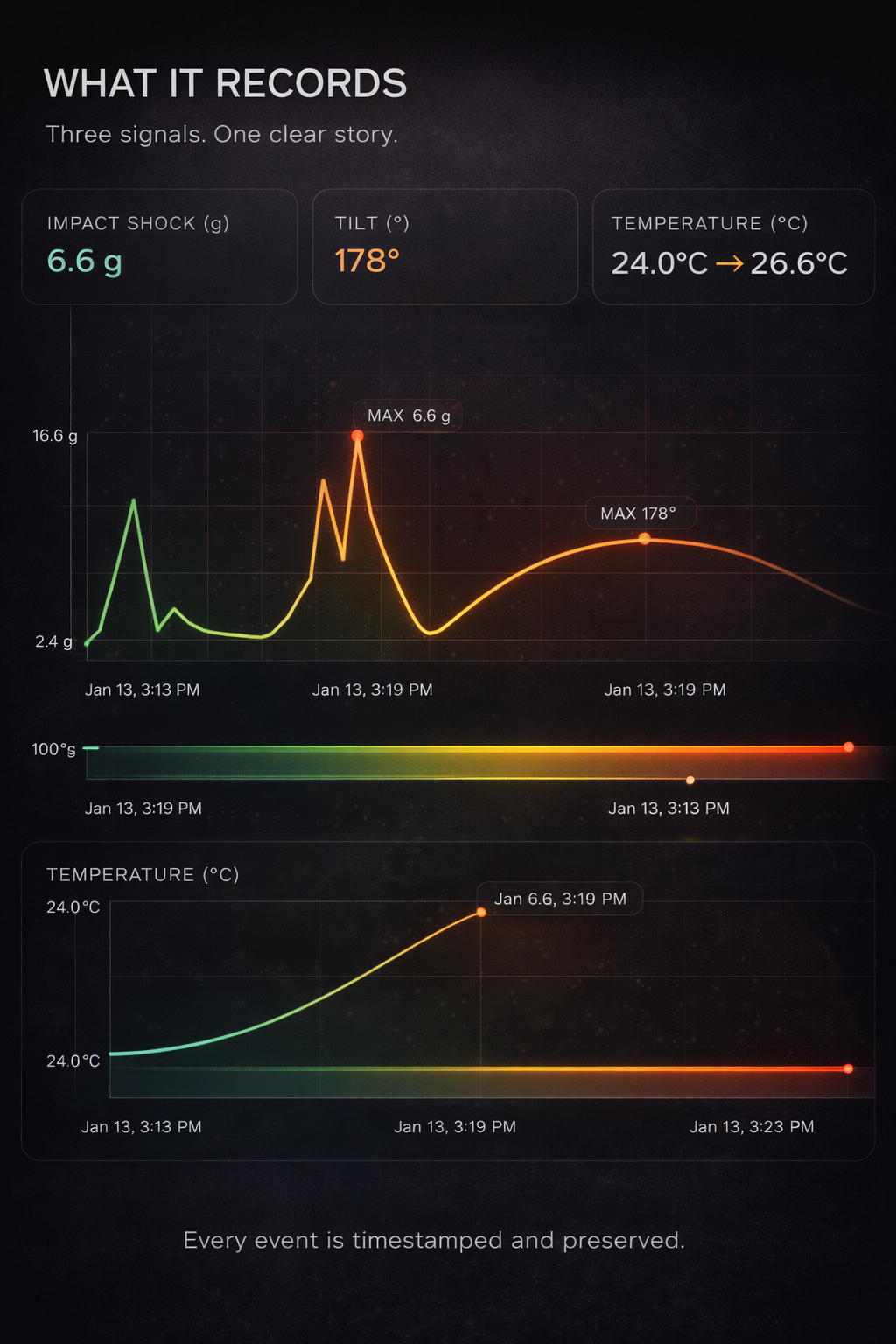
Three signals. One clear story.
ShockTrace captures the events that damage cargo — then turns them into evidence you can act on at destination.

Logs shock events in G-forces with timestamps — pinpoint where handling went wrong.

Detects unsafe angles and handling violations, including major tilts and sustained lean.

Tracks ambient exposure — ideal for sensitive goods, storage, and long dwell times.
Evidence when connectivity is unreliable.
Many lanes don’t guarantee coverage. Offline logging delivers a verified timeline — without roaming failures or app dependency.
- Works in ships, warehouses, air freight, and remote yards
- No app required to view results (open the HTML file)
- Data stays with the device (share files as needed)
- Open the report on any computer — instantly
- Audit-friendly: summary HTML + raw CSV backups
Two modes for real journeys.
Switch between higher-resolution logging and longer-duration logging depending on lane and dwell time.
- Best for trucking and air freight
- More frequent sampling for detailed event capture
- Max detail for incident reconstruction
- Great for higher-handling lanes


Readable outcomes, not raw noise.
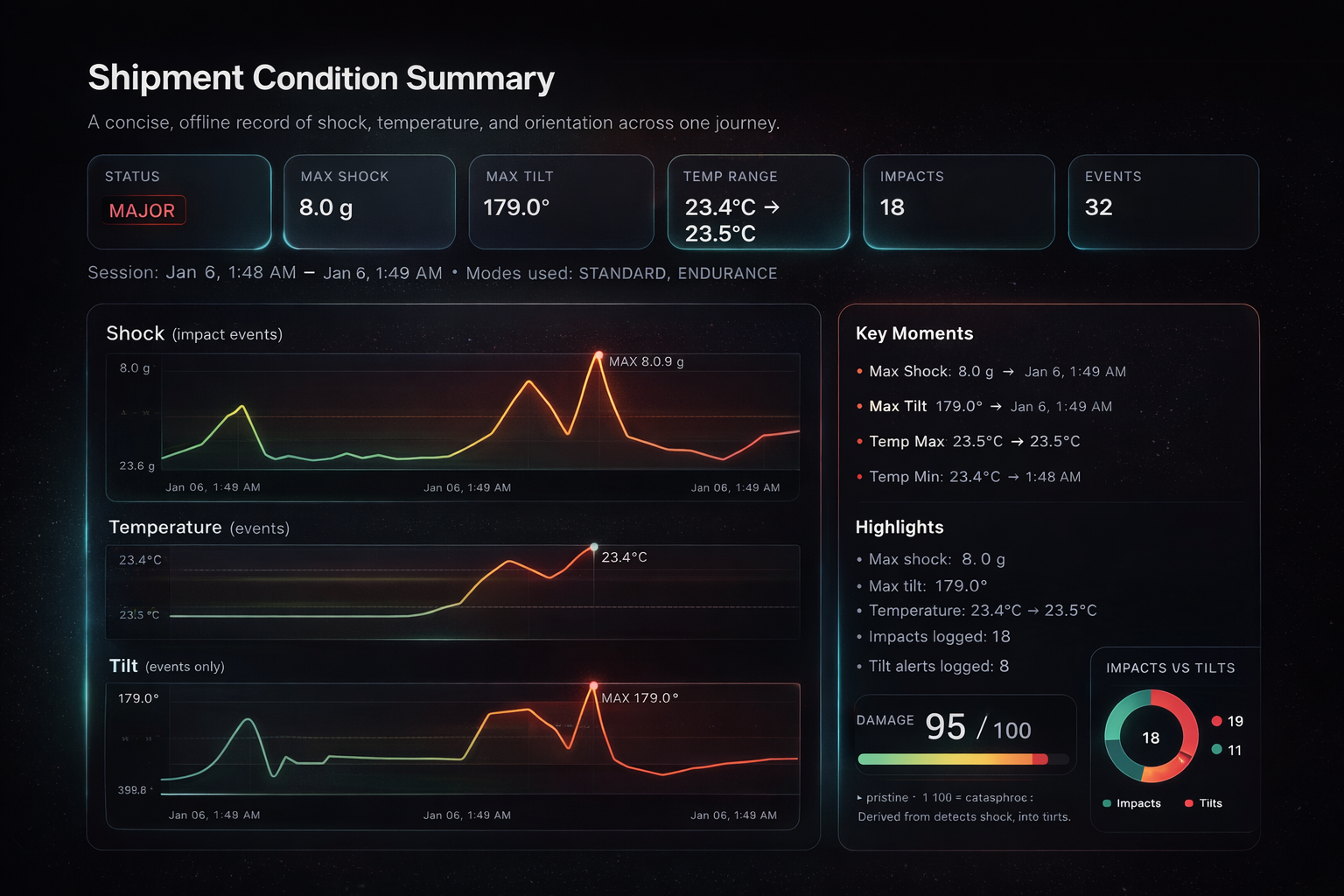
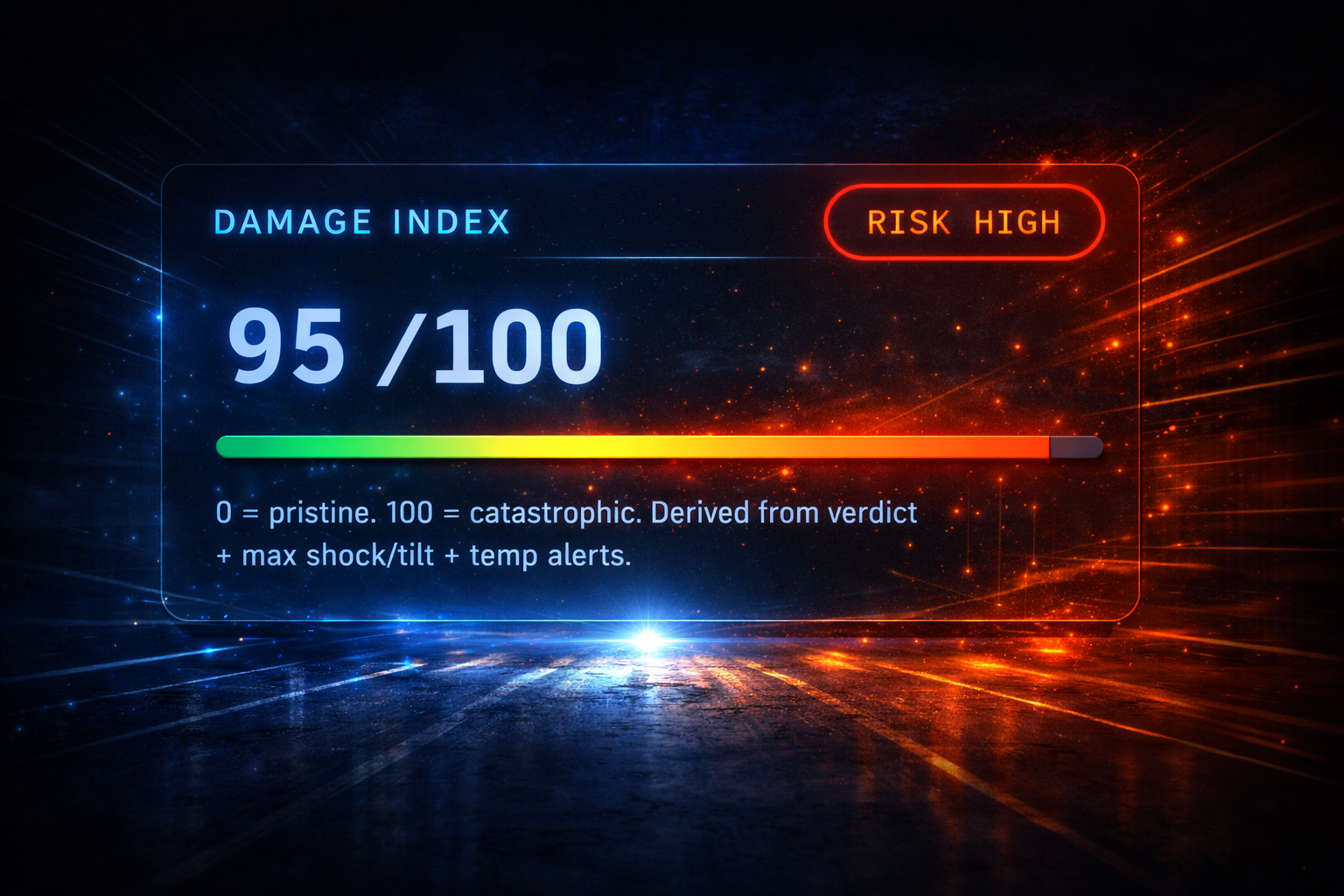
Operators and claims teams need clarity fast. ShockTrace produces a clean summary, timeline, and charts you can share immediately.
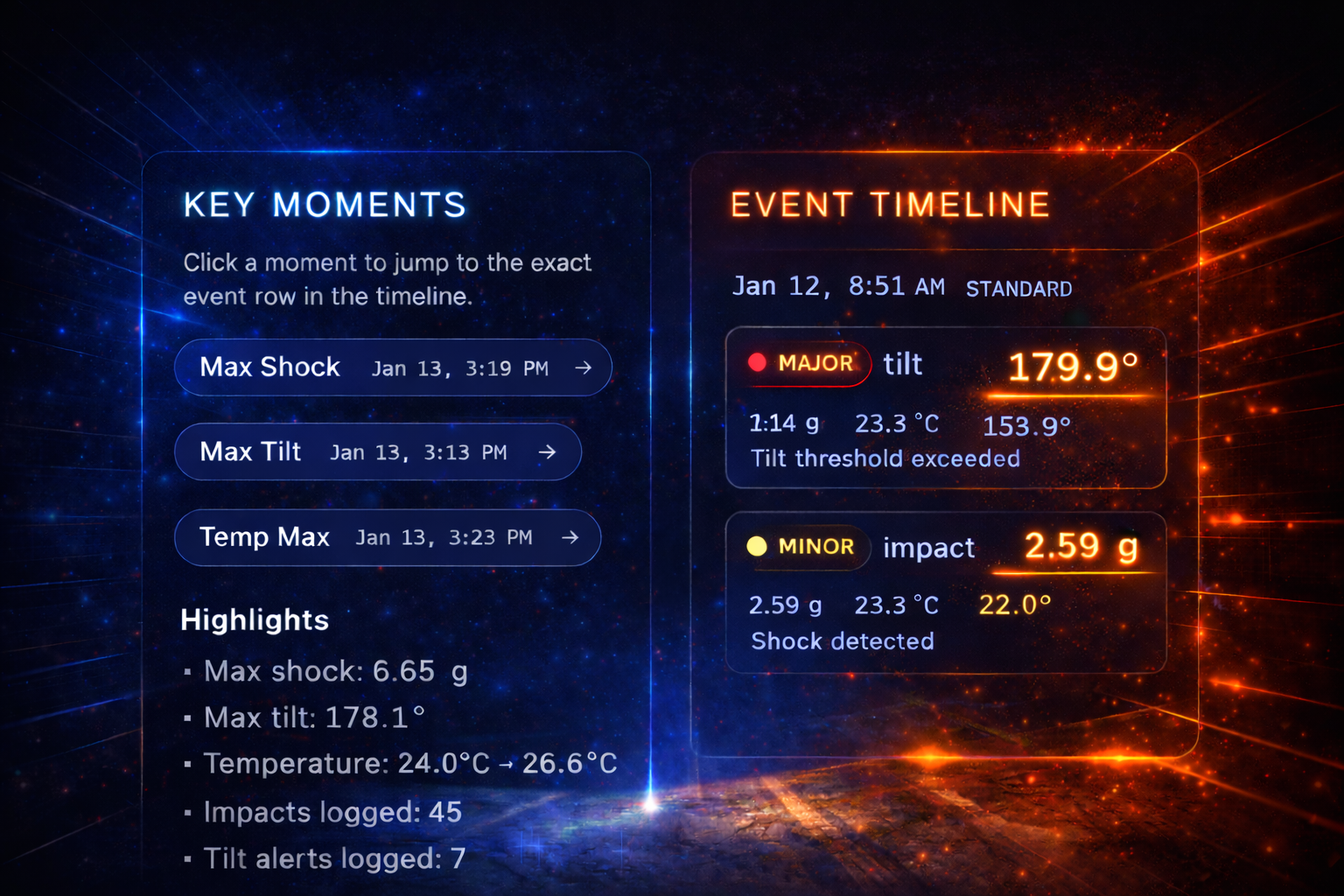
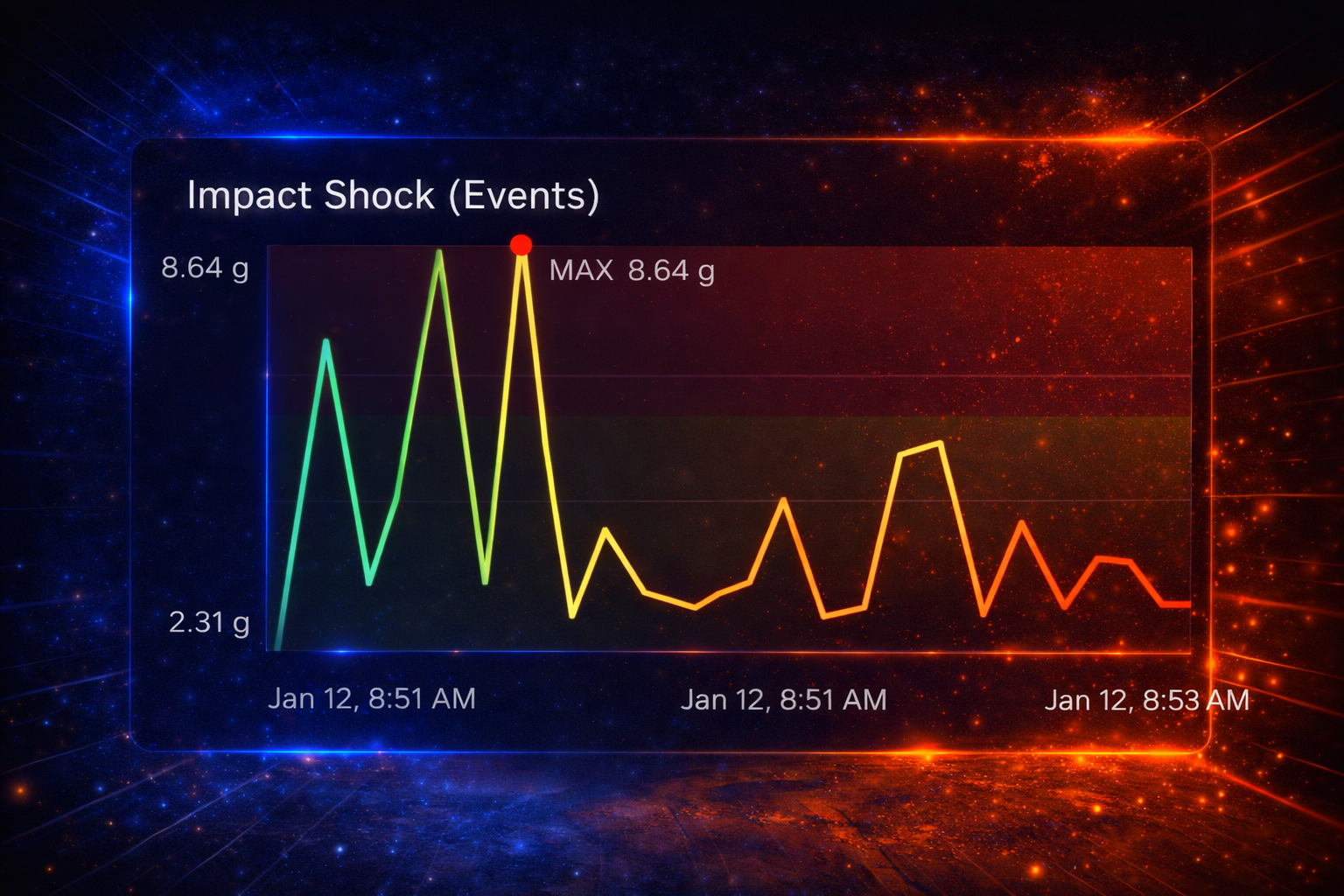
ShockTrace generates an offline HTML report plus raw CSV backups for verification. Open it anywhere—no app required.
- Clear timeline with timestamps
- Fast summary for ops + claims
- Exports that work for handoffs
- Dark/Light mode for presentation
- English/Spanish toggle for teams
Built for operations, claims, and quality.
ShockTrace helps teams move faster when something goes wrong — and helps prevent repeat issues when nothing goes wrong.






Join the ShockTrace Pilot Program
Limited onboarding for partners who want verified evidence on high-risk lanes. We’ll align templates and thresholds to your workflow.
- Pilot access (limited availability)
- Report templates aligned to your workflow
- Threshold tuning with your lane realities
- Direct feedback loop on UX and evidence clarity
Send a quick note—include your lane, product type, and any recurring claim pain.
Quick answers
Simple, practical, and partner-focused.
Install the device, ship as normal, then retrieve files at destination. Open the HTML report directly and share it as needed.
An offline HTML report that opens on any computer, plus CSV backups for verification and auditing.
No. You open the HTML report directly. CSV files are included for backup and analysis.
Yes. The UX supports English and Spanish.